
Why Every Entrepreneur Needs a Business Process Automation Guide
A business process automation guide is your roadmap to using technology to streamline repetitive tasks, reduce errors, and free up time for strategic work. Here’s what you need to know:
Quick Answer for Business Process Automation:
– What it is: Using software to automate manual, repetitive business tasks
– Key benefit: Reduces costs by nearly 20% according to Bain & Company
– Market size: Projected to reach $19.6 billion by 2026
– Automation potential: 30% of work activities could be automated (McKinsey)
– Best starting point: Invoice processing, customer onboarding, or employee workflows
If you’re drowning in spreadsheets, chasing late payments, or spending weekends on digital busy work, you’re not alone. Many business owners work 50+ hours per week, with 25% putting in over 60 hours.
The business process automation market is exploding for good reason. Companies see dramatic results – from Prudential reducing processing time from 22 days to 22 seconds to Samsonite saving 2,200 working hours per year.
Automation isn’t about replacing humans or buying expensive enterprise software. It’s about freeing yourself from mind-numbing tasks so you can focus on growing your business.
Today’s customers expect 24/7 digital experiences. Your competitors are already automating. The question isn’t whether you should automate – it’s which processes to start with and how to do it without breaking your budget.
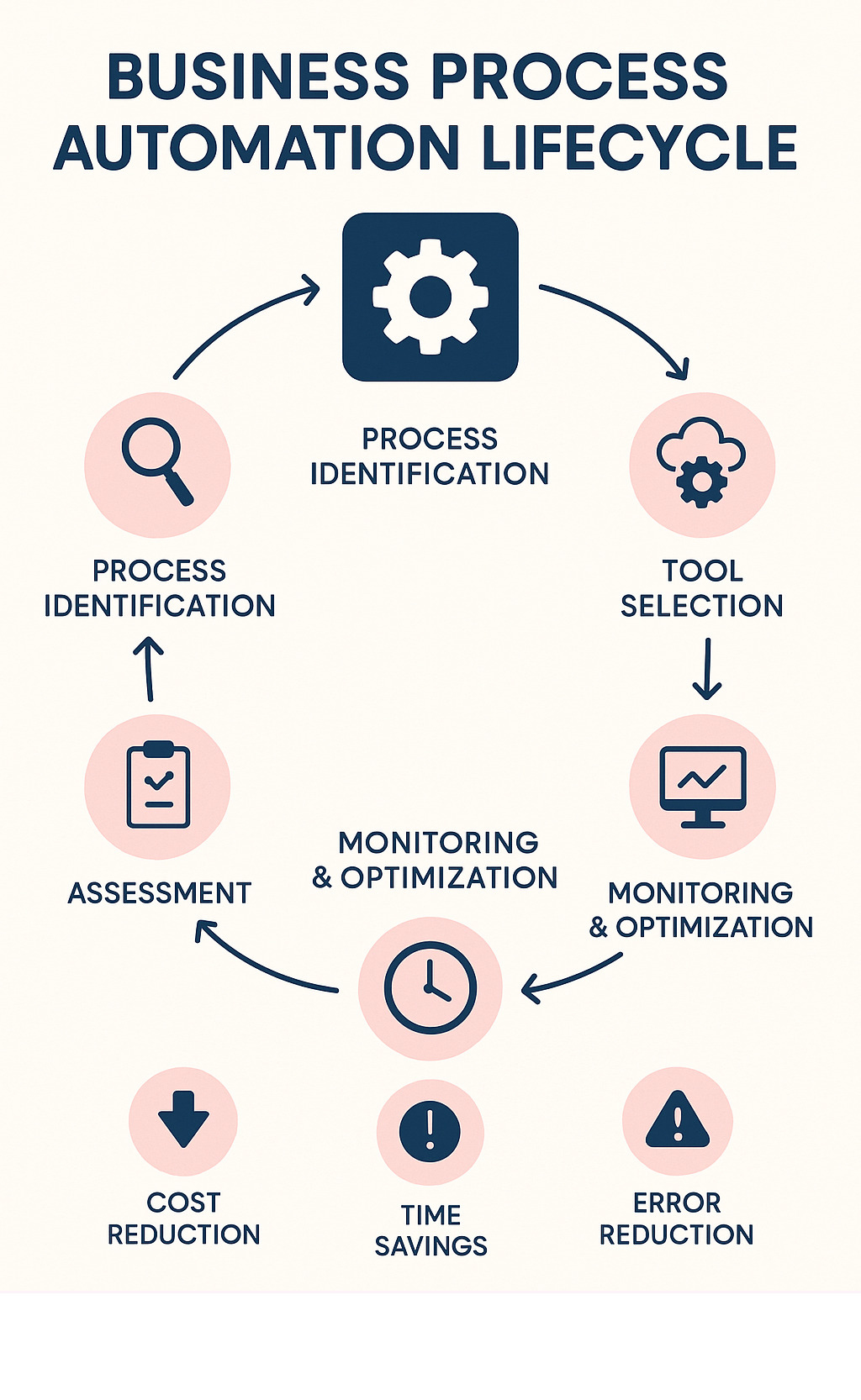
Quick look at business process automation guide:
– 7 productivity hacks every busy entrepreneur should try
– automation tools for business
Business Process Automation Guide: Core Concepts & Key Differences
If you’ve ever felt like you’re drowning in repetitive tasks while your competitors seem to move at lightning speed, you’re probably missing the automation advantage. Business process automation isn’t some fancy tech buzzword – it’s your secret weapon for getting your time back and scaling without burning out.
The magic happens when you shift from thinking about individual tasks to complete workflows. Instead of automating just the invoice entry, you automate the entire accounts payable process – from receipt to approval to payment to reporting.
Software robots can work 24/7 without coffee breaks, but the real power lies in consistency and scalability. When your business doubles, your automated processes don’t need training or vacation time.
| Approach | Scope | Best For | Complexity |
|---|---|---|---|
| BPA | End-to-end processes | Complete workflows like customer onboarding | Medium |
| RPA | Individual tasks | Data entry, form filling | Low |
| BPM | Process design & optimization | Mapping and improving workflows | High |
Modern low-code and no-code platforms have democratized automation. You don’t need a computer science degree to set up workflows that save hours every week.
What is Business Process Automation (BPA)?
Think of BPA as the conductor of your business orchestra. While individual musicians (or software tools) play their parts, BPA ensures everyone plays in harmony.
Process mapping forms the foundation of effective BPA. Before you can automate anything, you need to understand how work actually flows through your business – including all those unofficial workarounds your team has developed.
The end-to-end focus is what sets BPA apart from simple task automation. When a new customer signs up, BPA orchestrates the entire welcome experience automatically.
Data orchestration becomes crucial here. Your customer information needs to flow seamlessly between systems, staying accurate and up-to-date everywhere.
The holy grail is straight-through processing – where routine transactions complete from start to finish without human intervention.
BPA vs BPM vs RPA: Clearing the Confusion
Business Process Management (BPM) is like the architect who designs the building. It focuses on governance and continuous optimization. BPM helps you map out your ideal processes and identify bottlenecks.
Robotic Process Automation (RPA) is like having very focused, very fast workers who follow instructions perfectly. These rules-based bots excel at repetitive tasks but struggle when something unexpected happens.
Business Process Automation (BPA) is the general contractor who coordinates everything. It can include RPA bots as part of a larger workflow, but also handles complex decision-making and intelligent automation that adapts to different scenarios.
The smartest approach combines all three. Human-in-the-loop oversight remains essential for handling edge cases and ensuring everything stays on track.
Why Automate: Benefits, Use Cases, and Types
You didn’t start your business to spend hours copying data between spreadsheets or chasing down approvals via email. Yet here you are, probably doing exactly that.
Companies that accept automation see incredible results. Bain & Company research shows businesses cut costs by nearly 20% when they automate strategically. When companies automate their financial planning processes, accuracy jumps above 99%. Customer service teams see resolution times drop by 27% just by automating status updates.

Automation gives you your sanity back. When routine stuff runs itself, you can focus on work that actually grows your business. Strategy sessions instead of data entry. Customer relationships instead of invoice matching.
Harvard Business Review found that 80% of employees say automation lets them have more meaningful customer conversations. Operational efficiency isn’t just about speed – it’s about job satisfaction and employee engagement.
Five Types of BPA Every Entrepreneur Should Know
Task automation handles individual, repetitive tasks like moving files or updating databases. Perfect for getting started without overwhelming your team.
Workflow automation coordinates multiple people and systems. Instead of manually routing approvals, the system moves things along automatically.
Process automation takes the full end-to-end approach. Complex business processes involving multiple departments work together seamlessly.
Robotic Process Automation (RPA) uses software bots that interact with your existing applications just like humans do. Particularly useful for older systems.
Intelligent automation combines RPA with AI and machine learning. These systems can handle unstructured data and make decisions based on patterns.
High-Impact Processes Ripe for Automation
Financial operations top the list because they’re naturally rules-based and high-volume. Accounts payable processing can run almost entirely on autopilot. Expense report management stops being a monthly nightmare.
Human resources processes follow predictable patterns. Employee onboarding workflows ensure nothing falls through the cracks. Time and attendance tracking eliminates timesheet drama.
Sales and marketing automation keeps your revenue engine running smoothly. Lead qualification helps you focus on prospects most likely to buy. Email campaigns nurture relationships while you sleep.
Customer support automation improves service while reducing costs. Ticket routing ensures urgent issues get immediate attention. Knowledge base updates keep information current.
Operations automation keeps the wheels turning efficiently. Inventory management prevents stockouts. Supply chain coordination reduces delays.
Start with processes that are high-volume, rules-based, and currently causing your team pain.
More info about Small Business Productivity Tools
Your Step-by-Step Business Process Automation Guide to Implementation
Enough theory. Let’s get your first automation running. This business process automation guide will walk you through a proven approach that won’t overwhelm your team or drain your bank account.
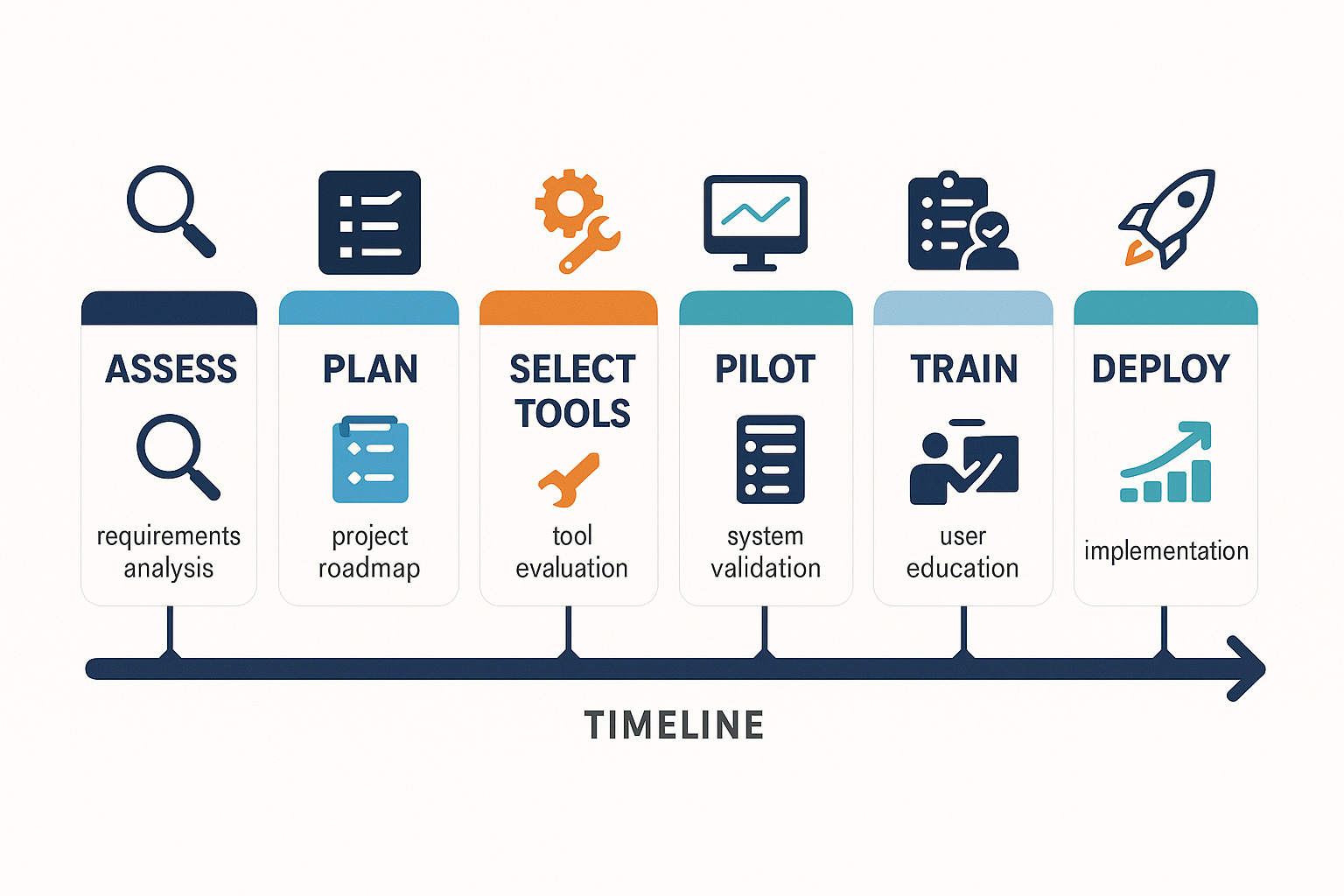
The biggest mistake? Trying to automate everything at once. Start small, build confidence, then scale up.
Phase 1: Process Findy and Mapping
Sit down with your team. Ask about their daily frustrations. Which tasks make them want to bang their head against the wall? Map out current workflows step by step.
Phase 2: Objective Setting
You need crystal-clear objectives. Are you trying to reduce costs by 15% or cut processing time in half? Different goals need different approaches. Get everyone on board early.
Phase 3: Tool Selection
Focus on compatibility with existing systems, scalability for growth, and ease of use. Start with tools that offer low-code or no-code interfaces.
Phase 4: Pilot and Iterate
Pick one process in one department. Something important enough to matter but not so critical that a hiccup shuts down your business. Run your pilot for at least a month. Gather feedback religiously.
Phase 5: Change Management and Training
This is where most automation projects succeed or fail. Invest in proper training. Create simple documentation. Designate pilot champions who can help colleagues.
Phase 6: Deploy and Monitor
Roll out gradually with careful monitoring. Track cycle time reduction, error rates, and employee satisfaction. Set up alerts for when processes fail.
Phase 7: Continuous Improvement
Automation isn’t set-it-and-forget-it. Schedule regular reviews to optimize workflows and identify new opportunities. Plan for failure scenarios.
More info about Automation Tools for Business
Selecting the Right BPA Software
Compatibility comes first. Your automation tool needs to talk to your existing systems. Look for platforms with robust integrations and pre-built connectors.
Scalability matters more than you think. That tool that works for your 10-person team might collapse under 50 employees. Consider both technical scalability and pricing models.
The user experience can make or break adoption. Prioritize low-code platforms that let business users build workflows without calling IT every five minutes.
Don’t forget total cost of ownership. Factor in implementation costs, training expenses, and integration fees from day one.
Support and training resources become crucial when you’re stuck trying to fix a broken workflow. Prioritize vendors with comprehensive documentation and responsive support.
More info about Productivity Tools Review
Measuring Success and ROI
Numbers don’t lie, but they can mislead if you’re tracking the wrong things.
Operational metrics show immediate impact. Cycle time reduction tells you how much faster processes complete. Error rate decreases show you’re moving smarter, not just faster.
Cost per transaction gives you the clearest ROI picture. Take your total process costs and divide by volume. This number should drop significantly as automation kicks in.
Employee impact metrics reveal the human side. Measure time saved per employee per week and employee satisfaction scores.
Customer experience improvements show up in response time reductions and higher satisfaction scores.
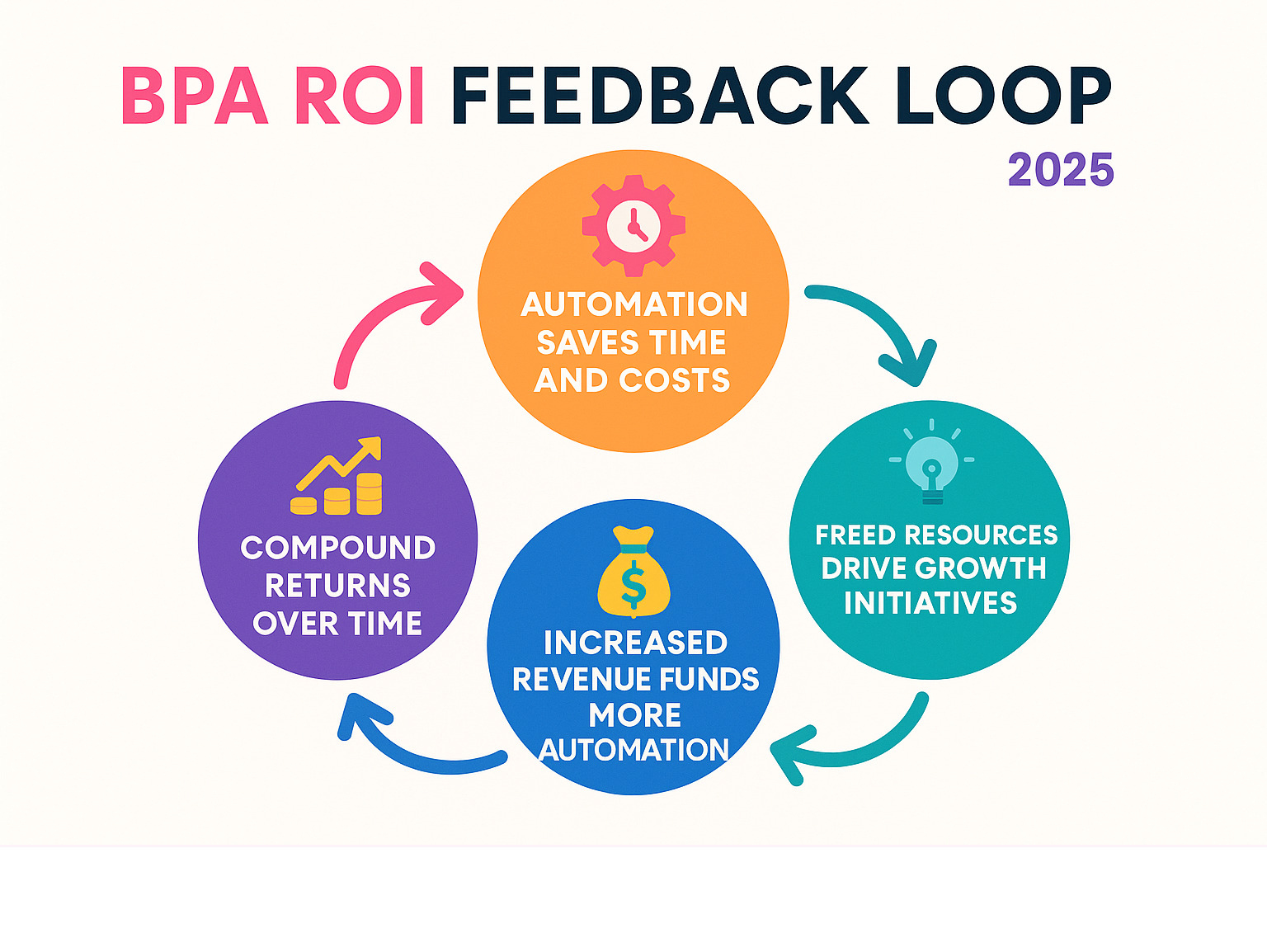
Most businesses see positive ROI within 6-12 months, but benefits accelerate as you automate more processes.
Future Trends, Risks & Governance
The automation world is moving fast. If you’re just getting started, that’s good news – you can skip the growing pains and jump straight to better tools.
Hyperautomation is where everything’s heading. Instead of using separate tools, you’ll have integrated platforms that combine RPA, AI, process mining, and low-code tools into one smart system.
AI agents that can actually think through problems are the really exciting part. Soon you’ll have AI teammates handling customer inquiries, analyzing contracts, and managing complex workflows without constant supervision.
Process mining solves automation’s biggest headache – figuring out what to automate. These tools watch how your team actually works and automatically map out your real processes.
But here’s the reality check: more automation means more complexity. Cybersecurity becomes trickier when automated processes touch every system. Data privacy regulations keep getting stricter.
The smart move is setting up proper governance from day one. Create a steering committee to oversee automation projects. Establish security standards and compliance frameworks before you need them.
Managing Change and Ensuring Buy-In
The best automation technology will fail if your team hates it. Most automation failures aren’t technical problems – they’re people problems.
Start with transparent communication. Don’t spring automation on people as a surprise. Explain why you’re doing it and how it makes everyone’s job better.
Involve your team in choosing what to automate. When people help design the solution, they become champions instead of resisters.
Find your pilot champions – team members who get excited about new technology. Let them test tools first and share success stories.
Position automation as job improvement, not job replacement. When you automate boring stuff, people can focus on problem-solving and creative work.
Mitigating Challenges & Risks
Legacy system integration trips up many businesses. Solutions include middleware platforms that translate between systems or RPA bots that interact with old interfaces.
Compliance requirements get more complex with automation. Build compliance into workflows from the start rather than trying to add it later.
Data quality issues become magnified with automation. Invest in data cleansing and establish governance policies before automating data-dependent processes.
Always have fallback procedures ready. When automation breaks, your business needs to keep running. Document manual backup processes.
Watch out for over-automation. Keep human touchpoints for complex decisions and relationship building. The goal is human-machine collaboration, not replacement.
Frequently Asked Questions about Business Process Automation Guide
What’s the first process a startup should automate?
Start with whatever’s driving you crazy right now. But for specific guidance, most successful entrepreneurs begin with either invoice processing or customer onboarding.
Invoice automation is a goldmine for small businesses. You’re probably spending hours each week chasing invoices and manually entering data. Automated invoice processing can slash that time by 90%.
Customer onboarding is the other sweet spot. Automating this process saves time and creates a smoother experience for customers.
The best automation candidates are highly repetitive, follow clear rules, and currently cause bottlenecks. If your team complains about a process regularly, that’s your automation opportunity.
How is BPA different from macros or scripts?
Macros and scripts are like power tools – useful if you know how to use them, but they require technical skills and break easily. Business process automation platforms are more like smart appliances – designed for everyday users who want results without becoming programmers.
The biggest difference is who can actually use them. With macros, you need someone who understands coding. Modern BPA tools use visual workflow builders – drag and drop elements like building with digital Lego blocks.
BPA platforms also come with built-in safeguards that scripts often lack. You get audit trails, user permissions, and monitoring that alerts you when processes aren’t running smoothly.
How long until we see ROI from BPA?
Most businesses see positive returns within 6 to 12 months, but some simple automations pay for themselves in weeks.
Your timeline depends on how broken your current process is and how often you do it. If you’re manually processing 100 invoices monthly at 30 minutes each, automating saves 50 hours monthly. That’s significant savings showing up immediately.
Volume matters enormously. Automating a monthly process won’t move the needle much. But automating daily or weekly processes? That’s where you see dramatic improvements quickly.
The smartest approach is starting with quick wins that build momentum. The ROI isn’t just cost savings – it’s about getting your brain back for work that actually matters.
Conclusion
Business process automation isn’t just about efficiency – it’s about sanity. When you automate routine tasks that drain your energy, you get your time and mental space back for work that actually matters.
This business process automation guide gives you everything you need to start:
– Clear understanding of what BPA is and isn’t
– Practical implementation steps without overwhelming your team
– Metrics to track success and ROI
– Strategies for managing change and mitigating risks
Key takeaways:
– Start small with high-impact processes like invoicing or onboarding
– Focus on end-to-end workflows, not just individual tasks
– Invest in change management and training
– Measure results and iterate continuously
– Build governance and security in from the start
Businesses thriving in today’s market aren’t just working harder – they’re working smarter. They’ve automated the routine so they can focus on innovation, customer relationships, and strategic growth.
Your competitors are already automating. The question isn’t whether you should join them, but how quickly you can catch up and get ahead.
More info about Business Analysis: Using Data for Making Effective Decisions
Ready to master business process automation and save your sanity? Start with one process this week. Map it out, identify pain points, and look for automation opportunities. Your future self will thank you for taking the first step today.
At The Entrepreneurs, we’re here to help you steer the automation journey with practical guides, tool reviews, and expert insights. Because when you automate the mundane, you free yourself to build something extraordinary.